Diagnose crop diseases in seconds. Right from the field.
leaf it to me — LeafSense brings AI leaf diagnostics, live spray-readiness weather, step-by-step mix & spray protocols, and a direct farmer marketplace into one fast Android app.
Scan on Phone
Point your Android camera here to download the APK directly to your device.
Version
v1.0.0
Engine
Hermes Native
Updated
Nov 18, 2026
Offline Sync
Built-in Queue
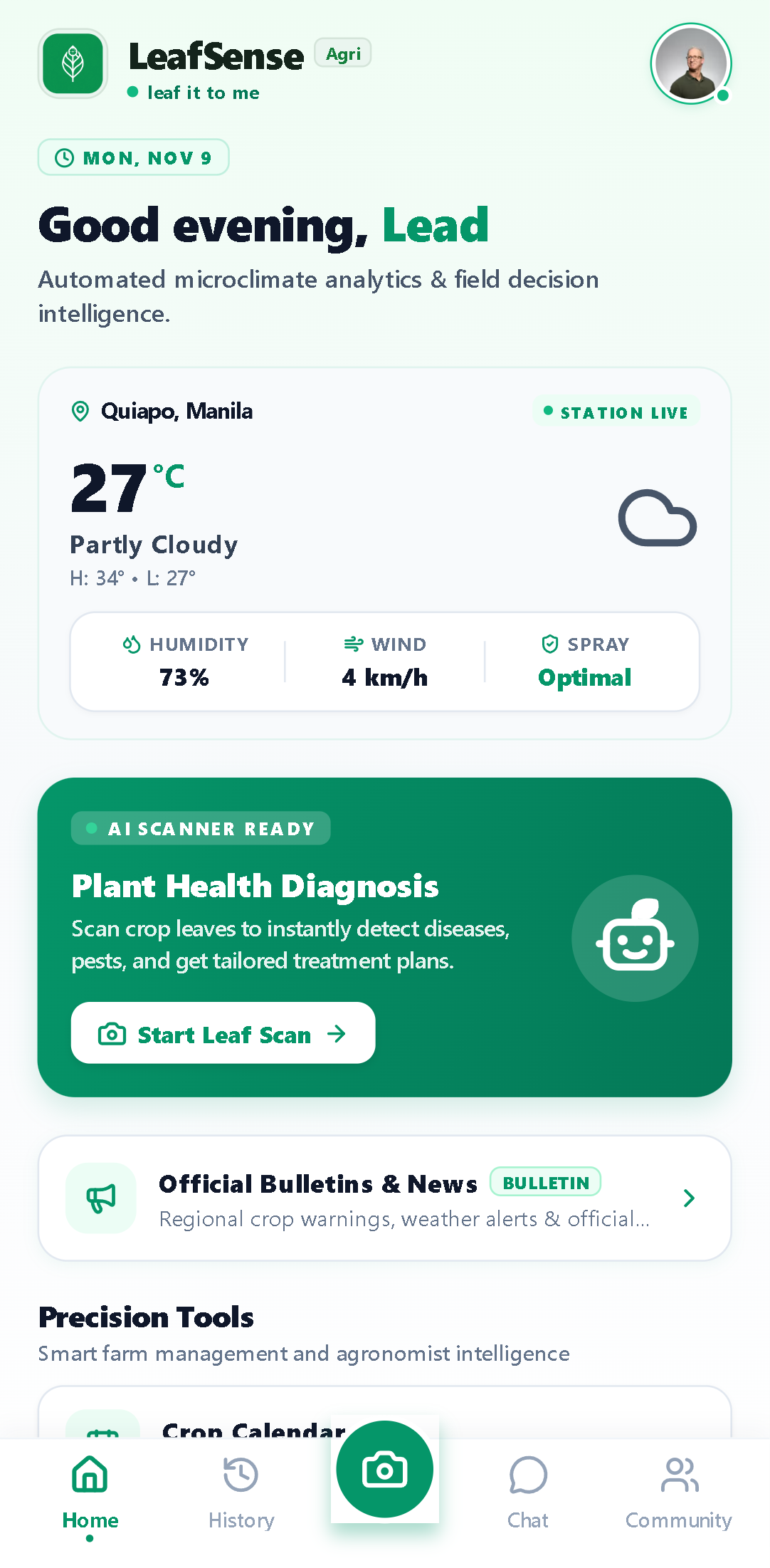
Live microclimate spray-readiness & instant scanner entry
Built for Growers & Field Teams
Everything you need from leaf scan to harvest action
Designed strictly for Android devices used in real agricultural conditions—fast camera workflows, practical spray math, and resilient offline caching.
AI Leaf Disease Scanner
Capture a leaf photo in the field or pick from gallery to detect fungal, bacterial, and pest conditions with structured diagnostic summaries.
Mix & Spray Dosages
Actionable step-by-step protocols calibrated for 1-liter hand sprayers, 16-liter knapsacks, and hectare-scale farm tanks.
Spray-Ready Weather
Live hyperlocal temperature, humidity, and wind monitoring with clear Spray Optimal indicators before you apply treatments.
Field Forum & Agronomists
Post scan snapshots directly to the community forum for second opinions from verified agricultural specialists and peer growers.
Direct Agri Marketplace
Browse regional seeds, fertilizers, soil, and farm produce and negotiate directly via real-time farmer-to-buyer chat.
Offline-First Field Sync
Local SQLite caching and resilient scan queues keep your crop calendar, history, and drafts available even with spotty rural signal.
Install in under a minute
LeafSense distributes directly as an official signed APK so you can install updates immediately without waiting for app store approvals.
Download the APK
Tap Download Android APK on your phone, or scan the QR code above with your Android camera to pull the installer directly.
Allow App Installation
Open the downloaded LeafSense.apk notification and toggle "Allow from this source" when Android asks permission to install.
Verify & Start Scanning
Launch LeafSense, register with your email address, enter the 8-digit verification code from your inbox, and run your first scan.
com.axis.leafsensev1.0.0